Crazy Lens
Take any of your images and apply any one of five crazy effects and then save the result to your sd card.Choose from the following effects
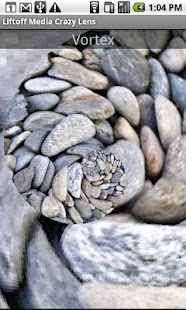
Vortex - an effect similar to works by the artist MC Escher, and also referred to as the Droste effect, this effect rotates the image using 2 different radii from the center of the photo.
The application settings start with defaults for the two values, but allow you to change them to something that works for you.
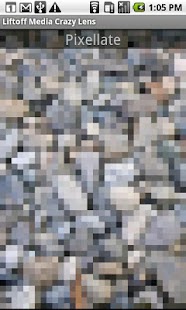
Pixellate - achieve a cool retro gaming 8 bit style photo by enlarging sections of your photo into larger "pixels" - This effect is customizable to give you a larger degree (or smaller degree) of pixellation.
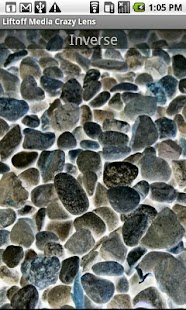
Inverse - an effect thats similar to a reverse negative.
Grayscale - convert any full color image to a classy grayscale look.
Mirror - creates an imaginary dividing line across the center of your image, and mirrors everything on to the opposite site.
You can either choose to have that imaginary line cut horizontally across your image or vertically down the image.
Finally there is also a UV Filter transform - that just displays an untouched version of your image for comparison purposes.
About Crazy Lens
- Package name (App ID)
- com.liftoffmedia.imaging.apps
- Available on
- Google Play
- Price
- Free
- Version
- v1.1.0
Looking for the Crazy Lens APK?
The safest way to get Crazy Lens (com.liftoffmedia.imaging.apps) on your Android device is to install it directly from Google Play — you'll always get the latest official version, automatic updates, and no risk of modified or infected APK files from third-party sites.
Gaming Features
Enjoy immersive gaming experience with various game modes.
Camera Features
Advanced camera features with editing capabilities.
Food & Dining
Discover recipes and order food from your favorite restaurants.
See Crazy Lens in Action
Frequently Asked Questions
Is Crazy Lens free?
Yes, Crazy Lens is free to download and install on Android through Google Play.
How do I install Crazy Lens on Android?
Open Google Play on your Android phone or tablet, search for Crazy Lens or tap the Google Play button on this page, then tap Install. The app downloads and installs automatically.
What is com.liftoffmedia.imaging.apps?
com.liftoffmedia.imaging.apps is the App ID (package name) of Crazy Lens on Google Play. Every Android app has a unique package name, and it is the safest way to verify you are installing the official app.
Is Crazy Lens safe to download?
Installing Crazy Lens from Google Play is the safest option: you get the official version, verified by Google Play Protect, with automatic updates. Avoid APK files from unofficial third-party sites.
Get Crazy Lens Today
Crazy Lens for Android — free download on Google Play.
Compatible with Android phones and tablets — available on Google Play.
Ask AI about this app
Get instant answers about features, tips and more from popular AI assistants.